Attendants Overview
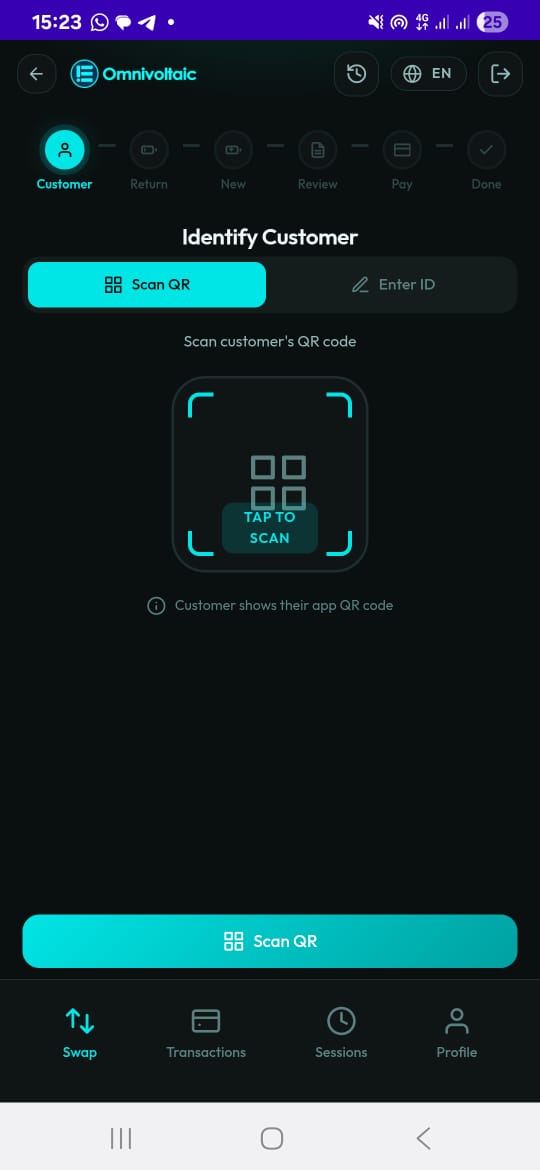
The Attendant workflow is the battery swap flow used by station attendants to swap depleted batteries for charged ones for existing customers. It provides a 6-step guided process optimized for speed, accuracy, and in-field usability.
Login
When the attendant opens the app, they log in with their employee credentials to access the swap workflow. Authentication ensures that every transaction is linked to an authorized attendant.
Workflow Steps
The attendant transaction flow follows a 6-step guided progression:
Customer → Return → New → Review → Payment → Done
| Step | Description |
|---|---|
| 1. Customer | Identify the customer by scanning a subscription QR code or entering a subscription ID. The app retrieves customer details from the backend. |
| 2. Return | Scan and connect to the customer's old (depleted) battery via Bluetooth. Read the battery ID and remaining energy. |
| 3. New | Scan and connect to the fresh replacement battery. The app calculates the energy difference, applies quota credit, and determines cost. |
| 4. Review | View a full breakdown of the swap — old vs new battery, energy difference, gross cost, quota deduction, and net amount due. |
| 5. Payment | Collect payment if the customer's quota does not cover the full cost. Reports to the backend via MQTT. |
| 6. Done | View a receipt summarizing the entire transaction. Hand the new battery to the customer. |
A step-based progress indicator at the top of the screen highlights the current step to keep the attendant oriented.
Key Features
- Subscription-based lookup — customer details, quota, and rates are pulled from the backend
- BLE-powered — battery ID and energy readings are taken directly from the device via Bluetooth (ATT and DTA services)
- Automatic cost calculation — energy difference, quota credit, and per-kWh rate are applied automatically
- Payment integration — payment is collected via QR scan or manual receipt entry
- MQTT reporting — payment and service events are reported to the backend in real time
- Quota-aware — if the customer's energy quota covers the cost, payment is skipped entirely
Design Principles
- High-contrast UI for outdoor visibility
- Large touch targets for quick interaction
- Minimal text for fast comprehension
- Clear primary action emphasis at each step
Getting Started
Use the sidebar to navigate through each step of the attendant workflow in detail.