Sales Rep Overview
The Sales Rep flow is the customer registration and onboarding workflow used by OVES salespersons to sign up new customers in the field. It provides an 8-step guided process with a progress timeline at the top.
Login
When the salesperson opens the page, they first log in with their employee credentials. Once authenticated, they enter the guided onboarding flow.
Workflow Steps
The sales rep onboarding flow follows an 8-step progression:
Customer → Package → Subscription → Preview → Payment → Vehicle → Battery → Done
| Step | Description |
|---|---|
| 1. Customer | Fill in the new customer's personal details and register them in the backend (Odoo) |
| 2. Package | Browse and select a product package bundling a main product with battery swap privilege |
| 3. Subscription | Choose a payment plan — frequency and price (weekly, monthly, etc.) |
| 4. Preview | Review a summary of customer details, package, subscription plan, and total cost |
| 5. Payment | Collect payment via M-Pesa or manual receipt; creates the subscription order in the backend |
| 6. Vehicle | Scan a QR code on the physical vehicle/product to link it to the customer's subscription |
| 7. Battery | Scan and connect to a battery via Bluetooth, read energy level, calculate initial electricity cost |
| 8. Done | View a receipt confirming the entire registration — includes a temporary password for the customer |
A progress timeline at the top of the screen highlights the current step.
Key Features
- End-to-end onboarding — from customer registration to product handover in a single flow
- Odoo integration — customer details and subscription orders are created directly in the backend
- Payment integration — supports QR scan or manual receipt entry
- QR-based vehicle linking — physical product is tied to the subscription by scanning
- BLE battery assignment — battery identity and energy are read via Bluetooth
- Session persistence — if the app is interrupted or the salesperson steps away, they can resume exactly where they left off
- Localization — language toggle in the header supports multiple languages
Screenshots
| Step | Screen |
|---|---|
| Customer | 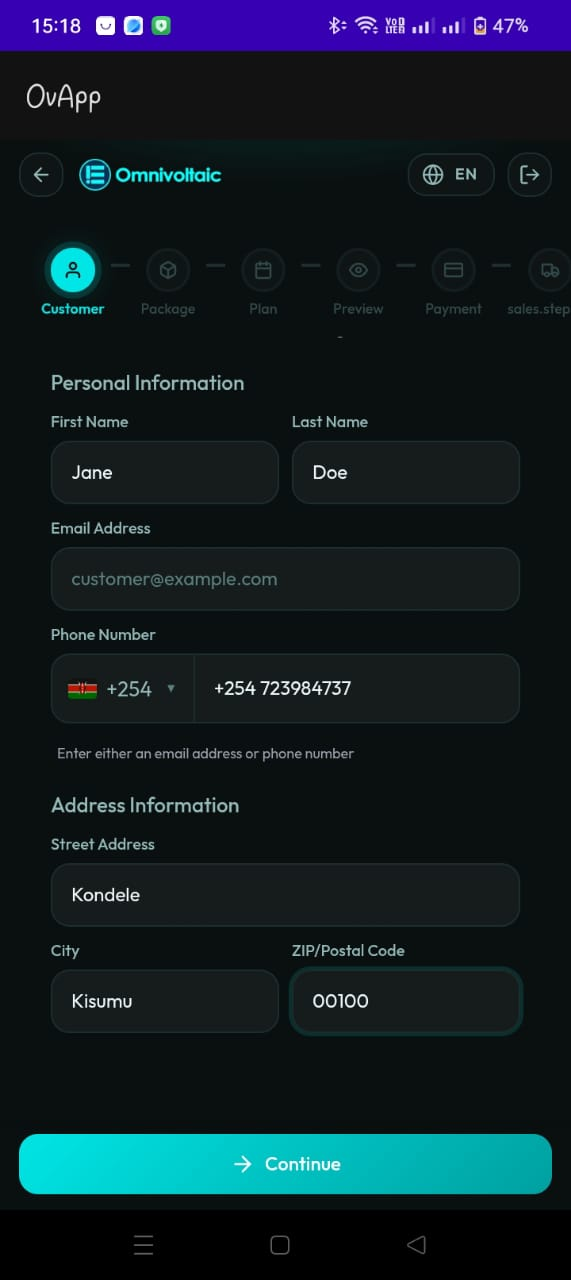 |
| Package | 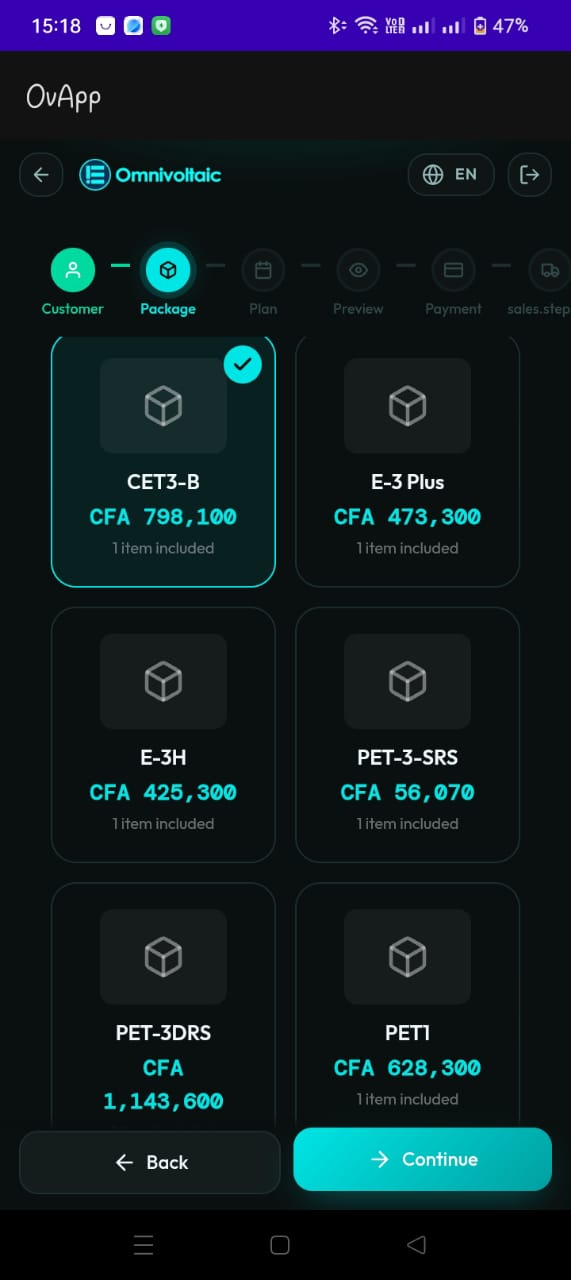 |
| Subscription | 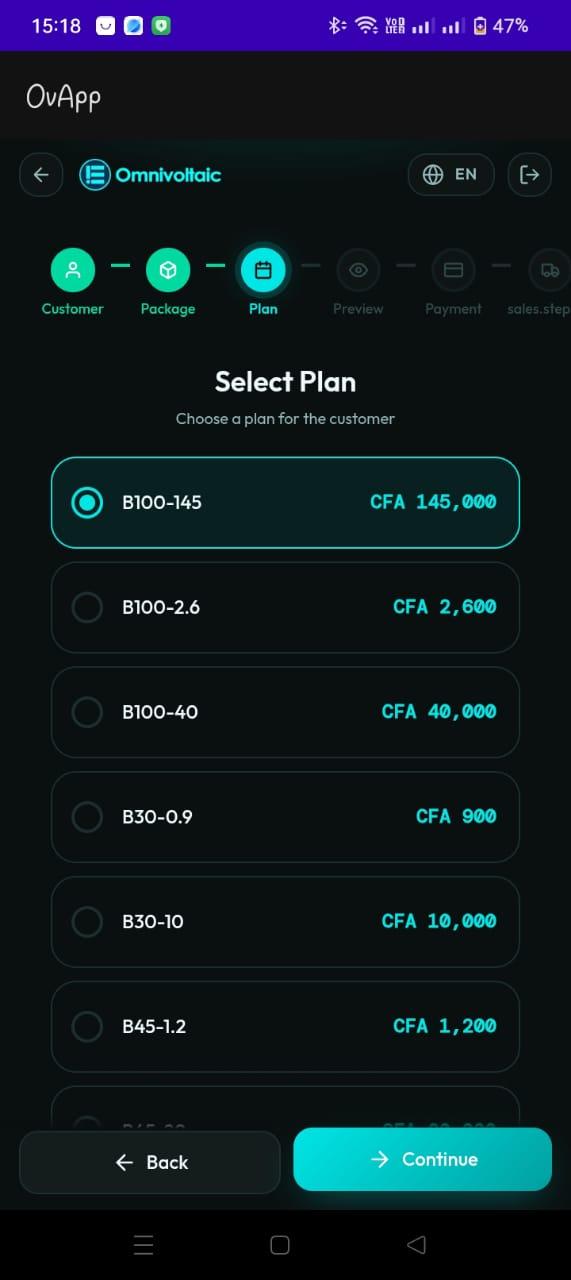 |
| Preview | 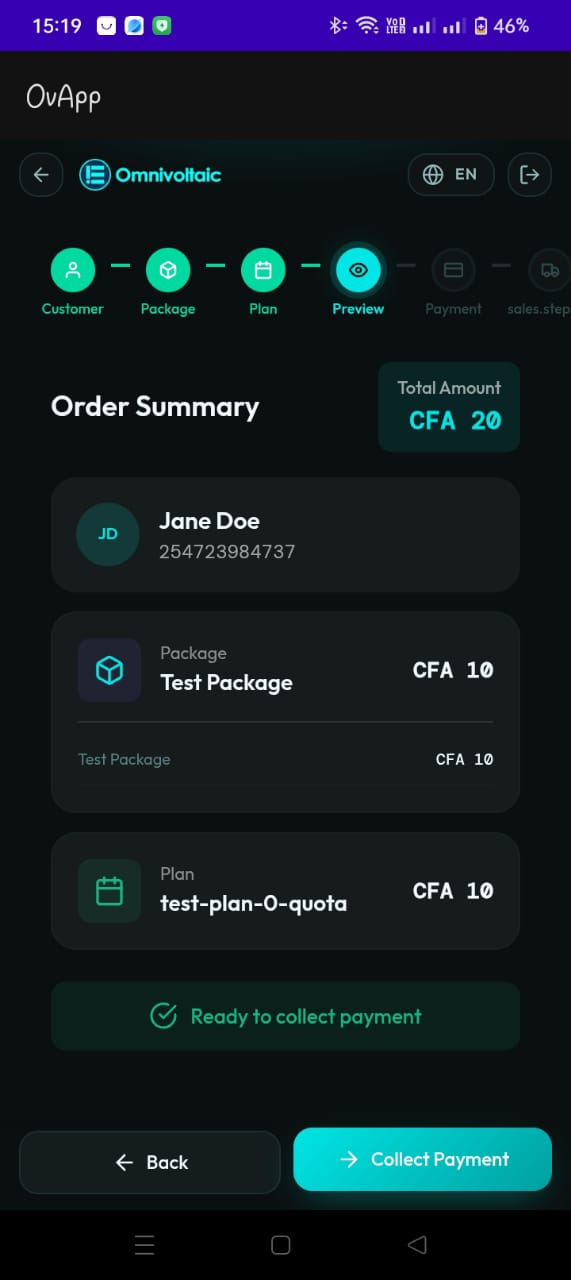 |
| Payment | 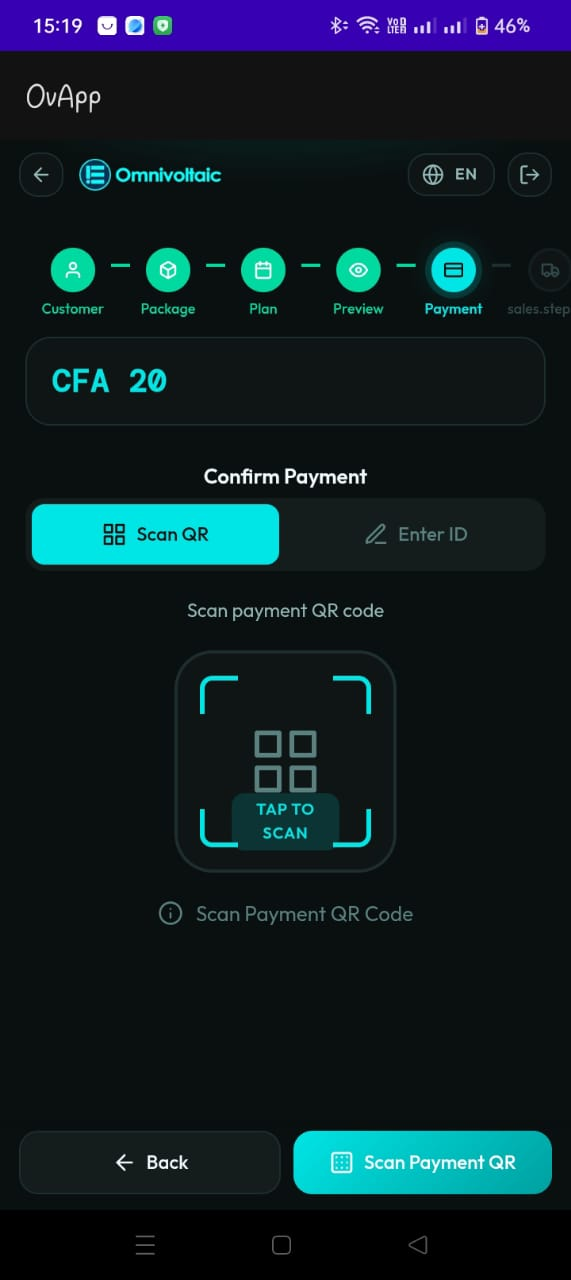 |
Getting Started
Use the sidebar to navigate through each step of the sales rep workflow in detail.