Customers
The Customers applet is a contact and customer management tool for sales teams. It lets you browse, search, create, edit, and delete customer records linked to Odoo CRM, and manage portal access credentials.
Access
| Login required | Yes — Sales Service Account (SA) |
| Applet slug | customer-management |
Customer List
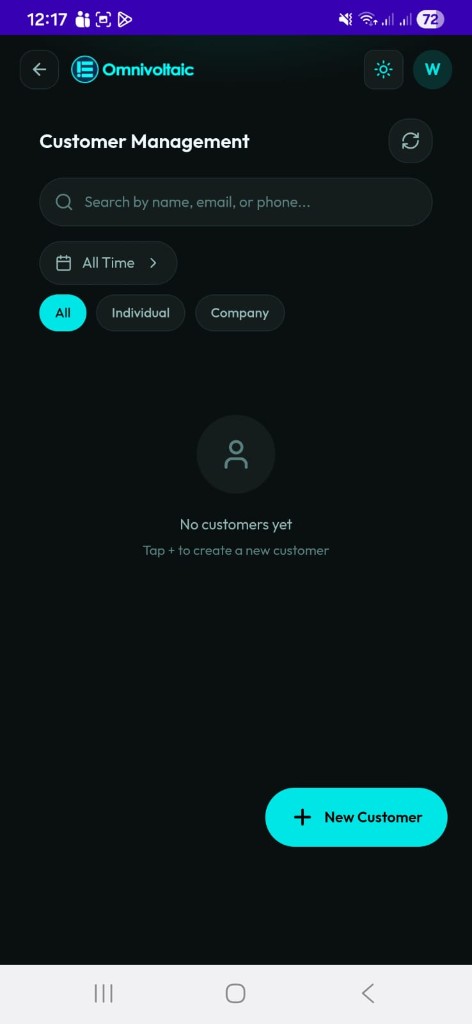
The main screen shows all customers associated with the active SA.
Searching & Filtering
| Control | Description |
|---|---|
| Search bar | Search across name, phone, and email |
| All | Show all customer types |
| Individual | Show individual (person) contacts only |
| Company | Show company contacts only |
| Period filter | Filter by creation date: All Time, Today, 3, 5, 7, 14, or 30 days |
Customer Cards
Each card displays the customer's avatar (initials or company icon), full name, phone, email, city, and type badge (Individual / Company). Tap a card to open the detail view.
Customer Detail
The detail screen shows the full record grouped into three sections.
| Section | Fields |
|---|---|
| Contact | Type, phone number, email address |
| Address | Street, city, ZIP code |
| Account | Portal password — view, copy, or reset |
Password reset
Resetting the portal password calls the Odoo API and typically sets the password to the customer's phone number.
Actions
| Action | How to trigger |
|---|---|
| Edit | Tap the edit button (bottom right) |
| Delete | Tap the delete icon in the header — a confirmation modal appears before deletion |
Creating a Customer
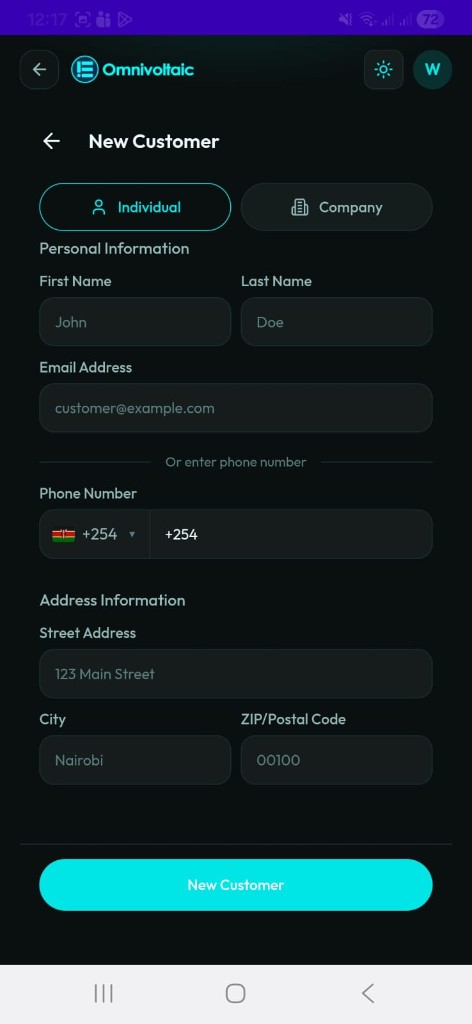
Tap + New Customer on the list screen to open the create form.
Form Fields
| Field | Required | Notes |
|---|---|---|
| First name / Last name | Yes (Individual) | Replaced by Company name when type is Company |
| Email address | One of email or phone | |
| Phone number | One of email or phone | Includes country code selector |
| Street address | Yes | |
| City | Yes | |
| ZIP / Postal code | Yes |
Toggle between Individual and Company at the top of the form — this controls which name fields are shown.
Editing a Customer
Tap Edit from the customer detail screen. All fields are editable. Changes are saved to Odoo on submission.
Deleting a Customer
Tap the delete icon from the customer detail screen. A confirmation modal prevents accidental deletion. The record is permanently removed from Odoo.